Max Unit Converter
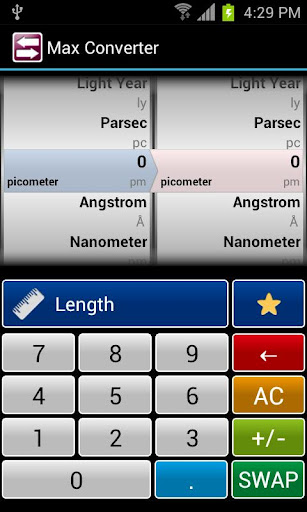
It is easy to use Unit Converter application using wheel view controller.Main Function1.
Essential 20 Units.2.
Easy to use.3.
Favorites.4.
SWAP Left and Right unit.5.
11 Digits.6.
Support for display of negative value.Instruction1.
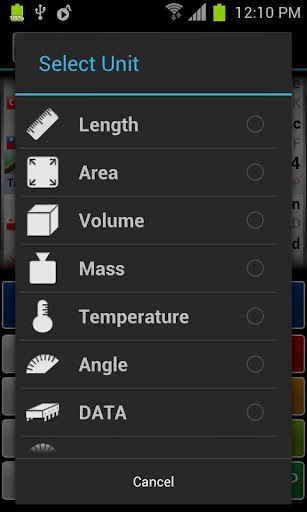
Select the desired unit.2.
Using the numeric keypad to enter values on the left wheel.3.
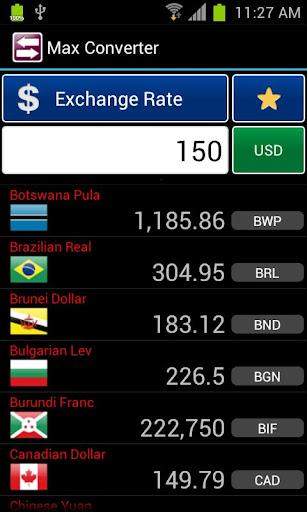
Turn the wheel to set the unit can check the converted value.Reference- Using the SWAP button on the left / right side of the unit can be switched easily.- You can manage frequently used unit by favorites.- Include Length, Area, Volume, Mass, Temperature, Angle, Amount of Data, Speed, Pressure, Number, Fraction, Exchange rate, Fuel Efficiency, Electric Current, Force and Energy.
Essential 20 Units.2.
Easy to use.3.
Favorites.4.
SWAP Left and Right unit.5.
11 Digits.6.
Support for display of negative value.Instruction1.
Select the desired unit.2.
Using the numeric keypad to enter values on the left wheel.3.
Turn the wheel to set the unit can check the converted value.Reference- Using the SWAP button on the left / right side of the unit can be switched easily.- You can manage frequently used unit by favorites.- Include Length, Area, Volume, Mass, Temperature, Angle, Amount of Data, Speed, Pressure, Number, Fraction, Exchange rate, Fuel Efficiency, Electric Current, Force and Energy.
Features
🎮
Gaming Features
Enjoy immersive gaming experience with various game modes.
🌤️
Weather Features
Get accurate weather forecasts and real-time updates.
🏠
Smart Home
Control and monitor your home with smart features.
Screenshots
See Max Unit Converter in Action

Get the App Today

Available for Android 8.0 and above
Ask AI about this app
Get instant answers about features, tips and more from popular AI assistants.